Google Ads ›

Google Ads conversion tracking

Google Ads conversion tracking: Google tag, enhanced conversions and GA4.

If you cannot measure who submits a form, calls or buys, Google does not know whom to optimize for. This article explains how to create conversion actions, install the Google tag, set up enhanced conversions and check the data.

Article by SAL - AI · Updated 10/2026

Tell Google which results you need.

A conversion action is what you want customers to do: buy, submit a form, call, book. Google Ads records it through the Google tag on your website, through calls, apps, or data uploaded from your customer management system.

  • Google tag (gtag.js): a code snippet placed in the head of every page.
  • Conversion event: fires when the customer completes the action, for example a successful form submission.
  • Enhanced conversions: send hashed email or phone number along, helping record conversions more completely.
  • Primary and secondary conversions: only primary conversions are used for bid optimization.

When to use it.

Before running ads

Set it up correctly from the start.

Numbers do not match reality

Conversion counts are far from the number of real customers.

Want to use automated bidding

Needs reliable conversion data.

What needs to be done.

Choose conversion actions

Choose the category, value, counting method (one or every), and conversion window.

Install tags

Google tag on every page; conversion event at the moment of completion; enhanced conversions where possible.

Test

Test for real on the website, check the status in Google Ads, and compare against actual customer numbers.

Deployment steps.

  1. Define. Which actions are primary, which are secondary
  2. Set up. Tags, events, enhanced conversions
  3. Link. Google Analytics 4 if needed
  4. Test. Try each flow and compare

Common mistakes.

  • Counting thank-you page views when customers can reload the page. One customer gets counted multiple times.
  • Setting too many conversions as primary. Bidding optimizes for unimportant actions like page views.
  • Firing the conversion on button click instead of on successful submission. Failed forms get counted too.
  • Installing the tag twice via manual code and via Tag Manager.
  • Not testing after editing the website. The code may be lost.

Who should use it, and who shouldn't yet.

Every business running Google Ads

This is the foundation.

Websites that collect leads through forms

Need to count successful form submissions correctly.

Online stores

Need order values.

Not a good fit when: you have no access to edit the website or no technical person to work with.

What the cost includes.

Setup fee

All-inclusive quote after reviewing the website.

No ad budget involved

This package covers installation and testing only.

Google Ads policies and features change often. We check against the current rules before rolling out for each business.

Real screenshots

Creating a real conversion action.

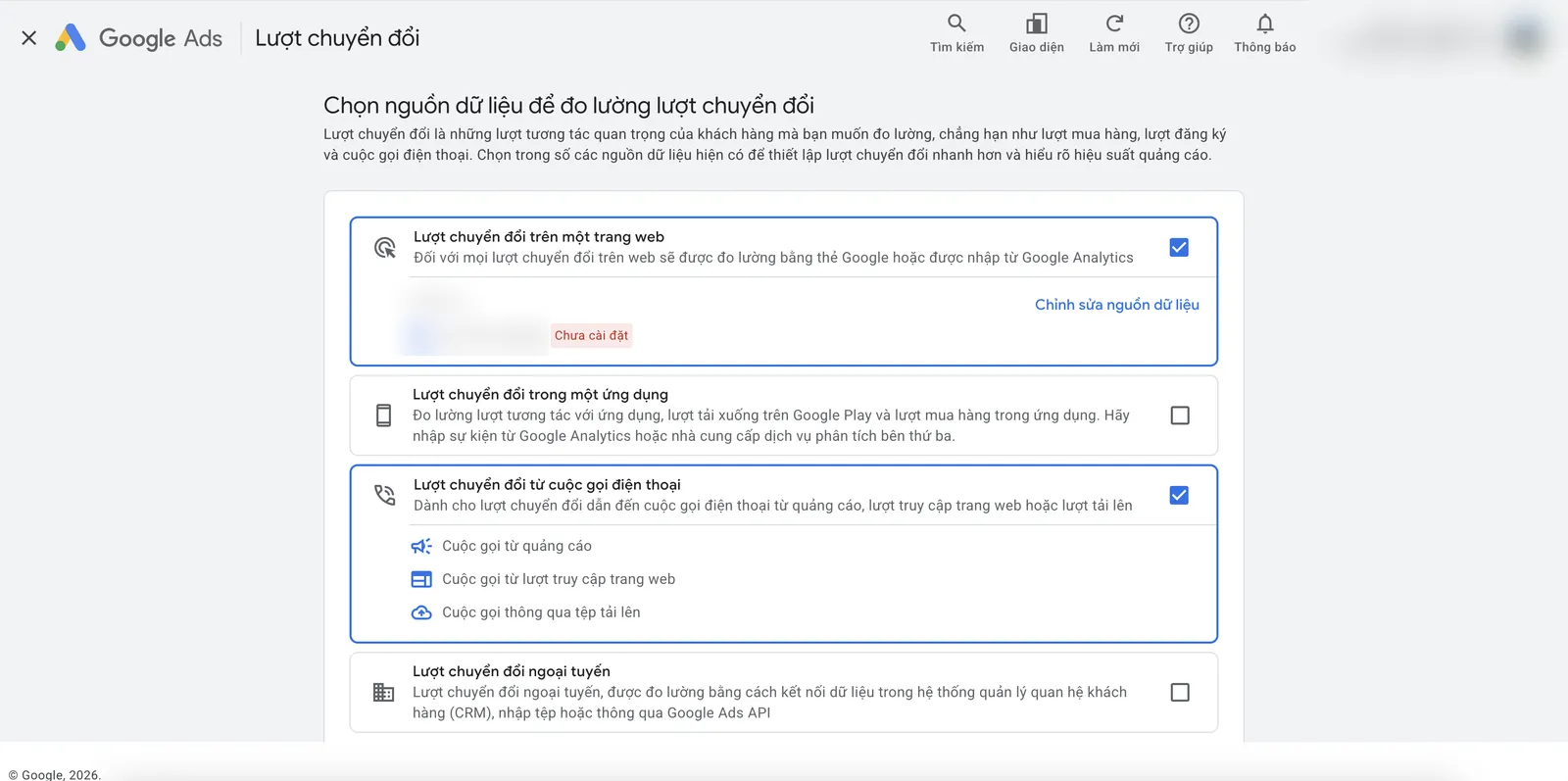
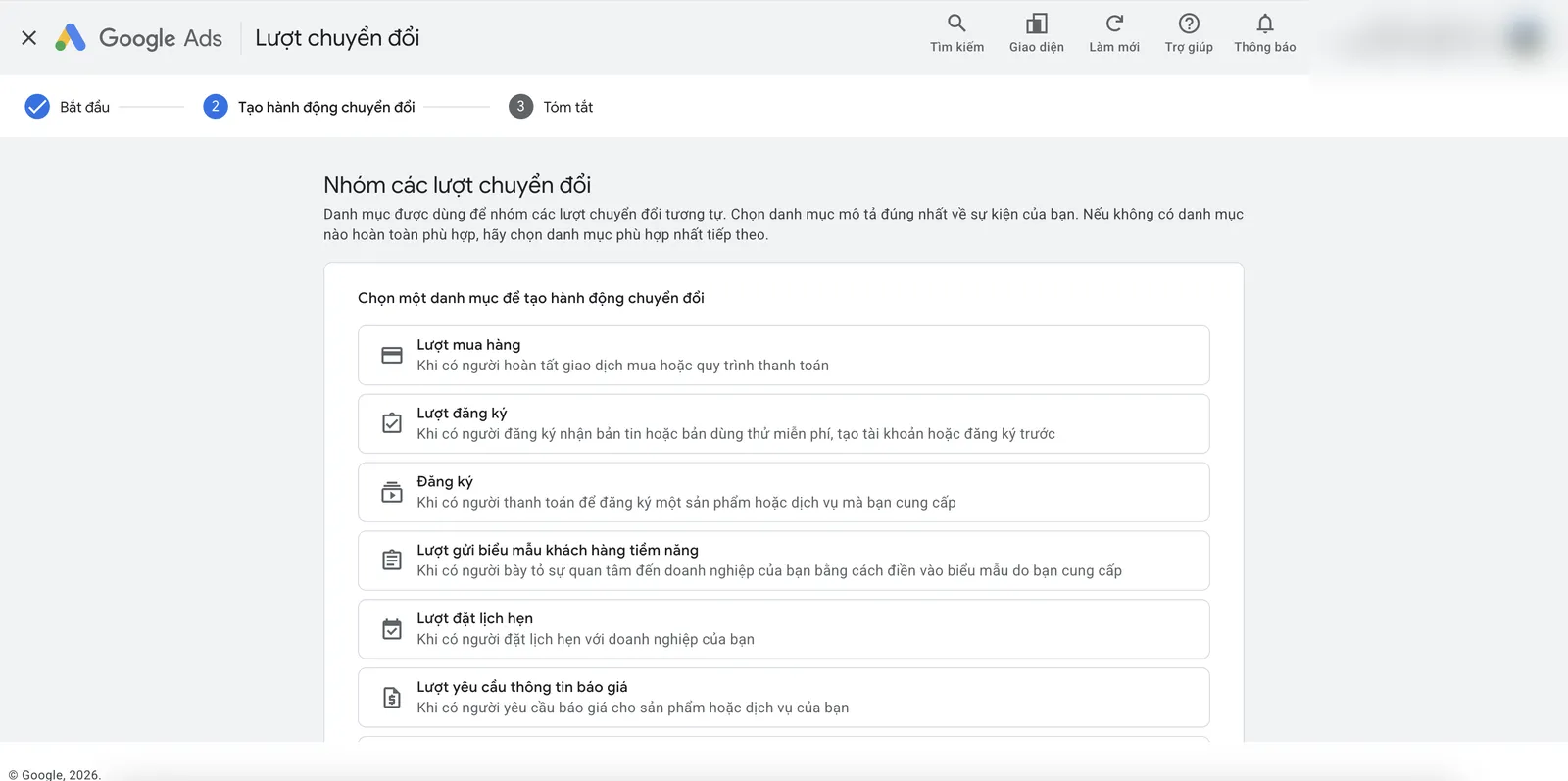
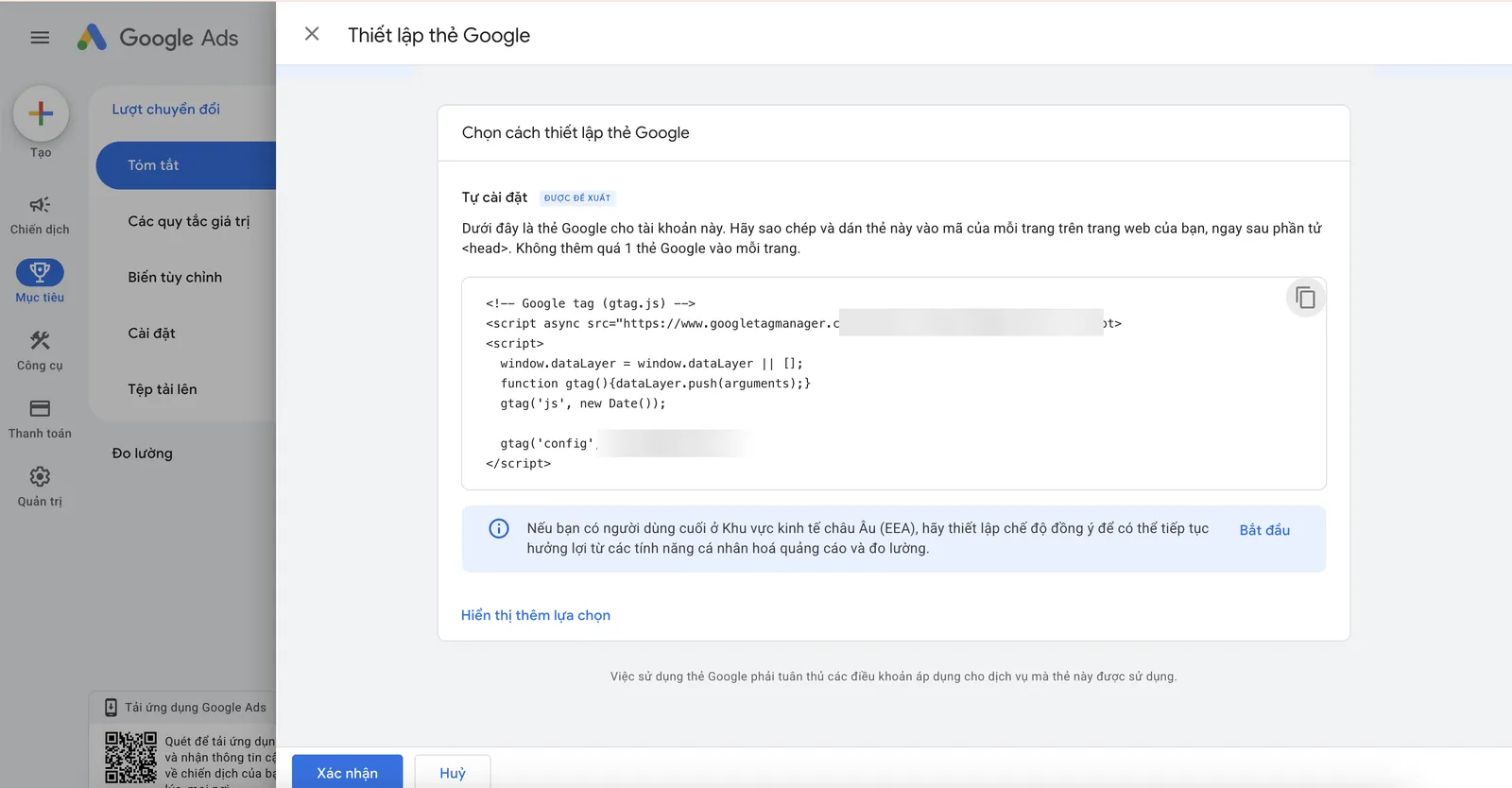
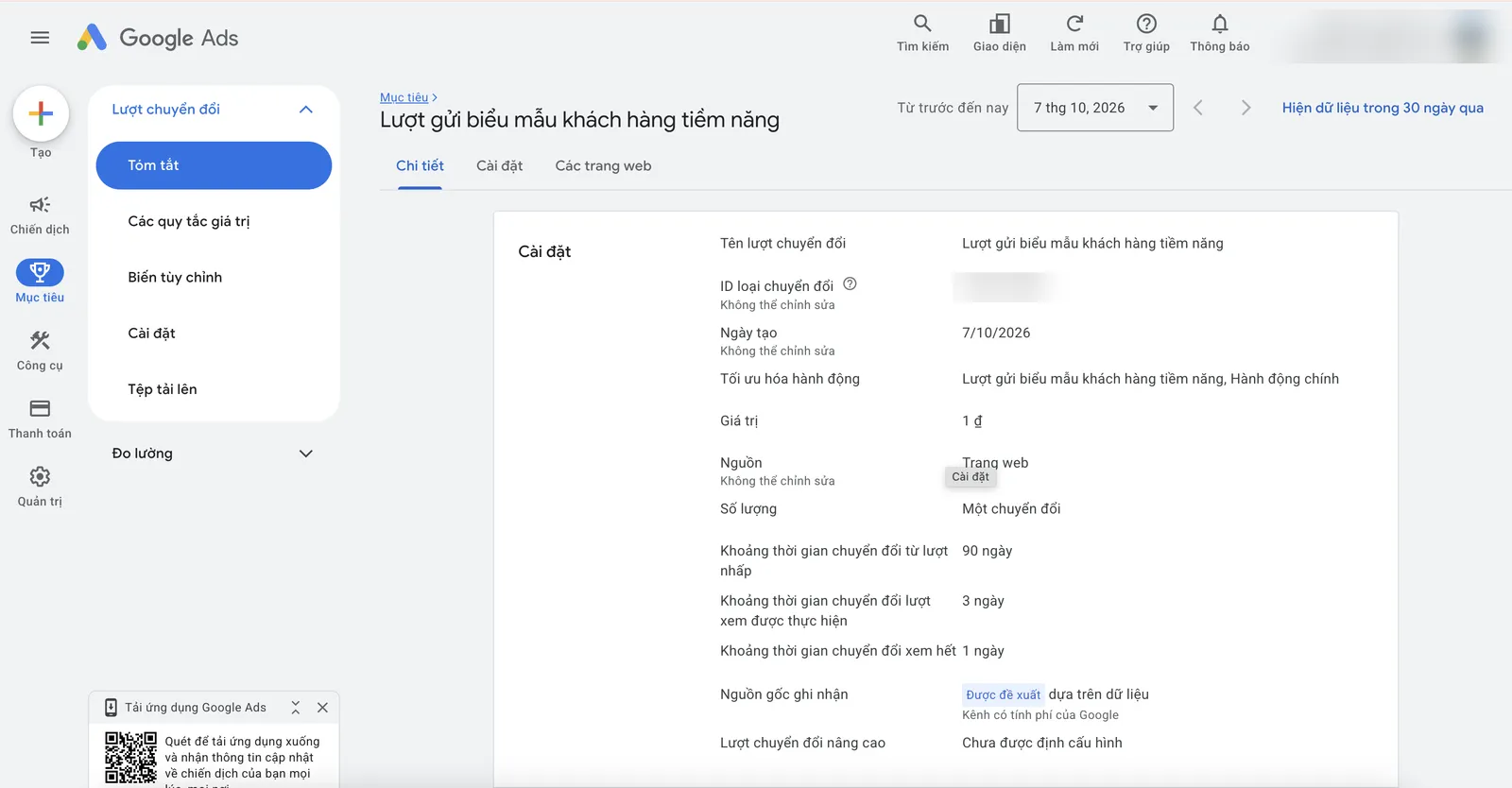
Choosing the data source and category, getting the Google tag code, and the detailed settings of a form submission conversion.

Choose the conversion data source: website, app, phone calls or offline data.
Choose a category for the conversion action: purchase, sign-up, form submission, booking, quote request.
The Google tag code to paste into the head of every page of the website (account ID hidden).
Details of a conversion action: value, counting method, conversion window and attribution model.

Screenshots from a Google Ads account we operate directly. Account IDs, emails, domains, tag IDs and names have been hidden. Click an image to view it full size.

FAQ

Frequently asked questions

Do I need Google Tag Manager?

Not required. Installing the Google tag directly is enough for many websites; Tag Manager is handy when you have many tags.

Are enhanced conversions safe?

Data is hashed before sending; it should be mentioned in your privacy policy.

How long until data shows in Google Ads?

Usually a few hours; conversion status can take up to about a day to update.

Need someone to work with you?

Let SAL - AI work with you.

SAL - AI handles Google Ads conversion tracking with you, on an account in your business's name, with a budget you approve. Tell us about your current situation and we will call you back to advise.

Conversion actions that match your goals.
Working tags and events.
Test screenshots and instructions.

Read more:

Do it yourself in the SAL software: the Advertising section → Assign tasks drafts the plan and expected cost for this channel; leads from ads land in the Customers section, with reports in the same place. The Free plan has no time limit. Open the software →
Or contact us directly:
Message on Zalo
Ask us for advice

By sending this request, you agree that we may contact you about the above. See our Privacy policy.

Your request has been received.

Thank you. We will contact you to schedule a consultation.

About SAL - AI

How we work: transparent from the start.

SAL - AI is operated by SAL Media Service Development and Investment Company Limited (tax code 0110454937), the company behind the SAL software platform (a private management software for each business), which also takes on advertising and website work at published prices.

We commit through how we work, not through promises: a clear scope from the start, a budget you approve, accounts and website in your name, numbers you can check yourself, and for Google ads and websites a 100% refund of service fees if we have not started work.