Google Ads ›

Accounts and verification

Google Ads accounts: setting up correctly, payments and advertiser verification.

Decisions made when creating a Google Ads account, such as time zone, payment account type or payer, are hard to change later. This article explains each step, the advertiser verification process and what to do when an account is suspended.

Article by SAL - AI · Updated 10/2026

Settings that are hard to change later.

When creating an account, Google asks for the country, time zone and currency; these two cannot be changed after creation. The payments profile has an account type of individual or organization; businesses should choose organization.

  • Advertiser verification: Google requires organization information and documents; the name is shown publicly in the Ads Transparency Center.
  • Payer: if another organization or individual pays for the ads, this must be declared.
  • Access: grant access by email to each person; do not share passwords.

When to use it.

Businesses new to Google Ads

Set it up correctly from the start.

Received a verification request

There is a deadline; if missed, ads may be stopped.

Suspended account

Need to read the exact reason and appeal.

What needs to be done.

Create and configure

Time zone, currency, organization payments profile, payment method, access.

Verification

Answer questions about the organization and payer; prepare documents matching the name on the payments profile.

Security and appeals

Two-step verification, review who has access; when suspended, read the relevant policy and submit an appeal with evidence.

Deployment steps.

  1. Create the account. Correct time zone and currency
  2. Payments. Organization profile, information matching documents
  3. Verify. Complete the tasks before the deadline
  4. Access and security. Assign permissions, two-step verification

Common mistakes.

  • Choosing an individual account type as a business. You have to change the account type, adding extra steps.
  • Name on the payments profile differs from the name on documents. Verification is rejected.
  • Missing the verification deadline. Ads are stopped.
  • Repeated failed payments. The account may be flagged.
  • Creating multiple accounts to get around a suspension. Violates policy; all accounts may be blocked.

Who should use it, and who shouldn't yet.

Businesses running their own ads

Need the foundation set up correctly.

Businesses switching ad agencies

Regain ownership of the account.

Businesses going through verification

Need step-by-step guidance.

Not a good fit when: you need to buy or rent accounts or get around the verification process. We do not take on this kind of work.

What the cost includes.

Support fee

Fixed-price quote based on the account's status.

No ad budget involved

This package only covers setup and guidance.

Google Ads policies and features change often. We check against the current rules before rolling out for each business.

Real screenshots

Real setup and verification steps.

From payment setup and changing the account type to organization, to the advertiser verification tasks.

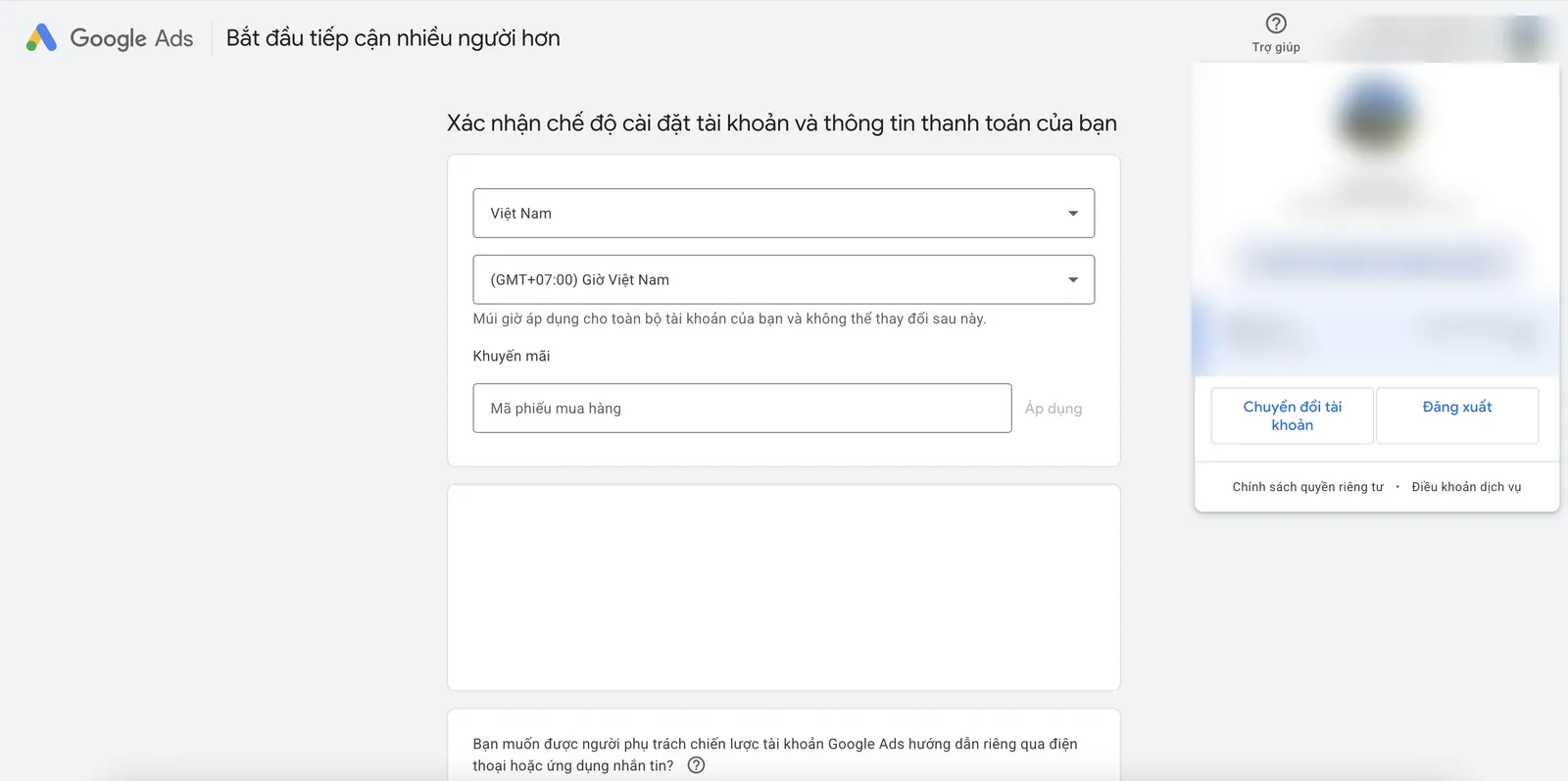
Setting the country, time zone and payment information when creating the account. Note that the time zone cannot be changed later.
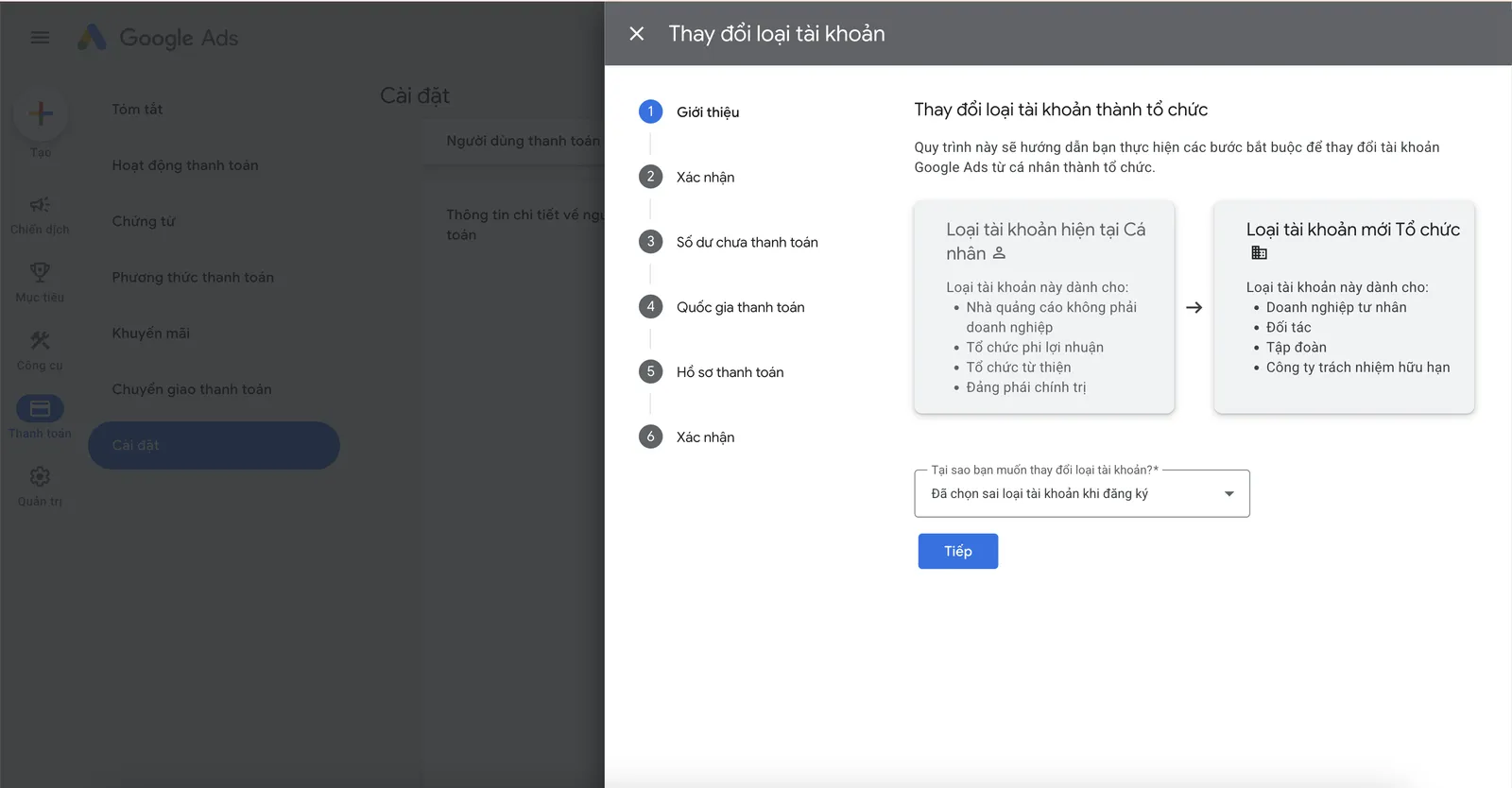
Changing the payment account type from individual to organization after registering incorrectly.
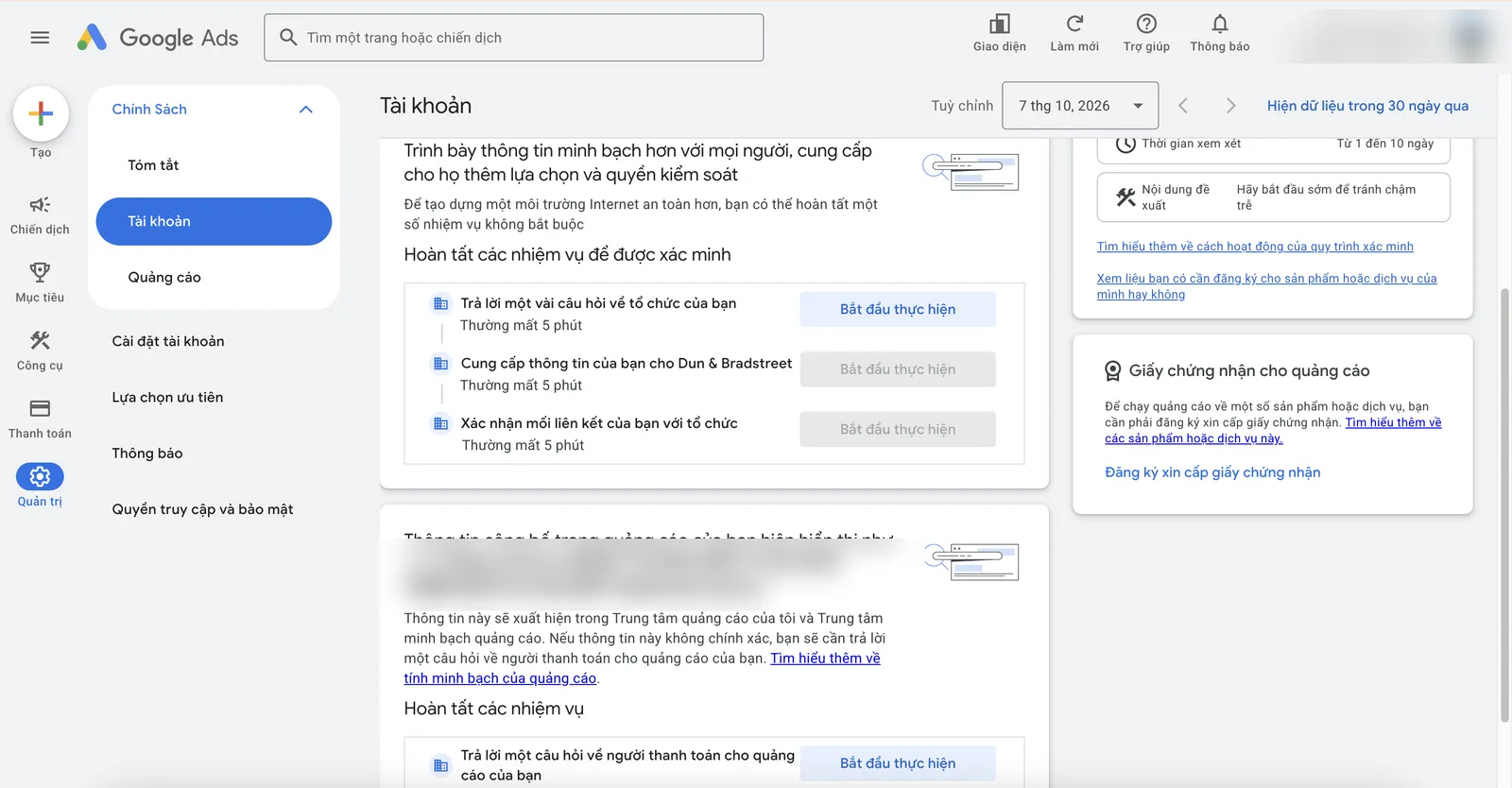
Advertiser verification tasks: organization information, Dun & Bradstreet, confirming relationships.
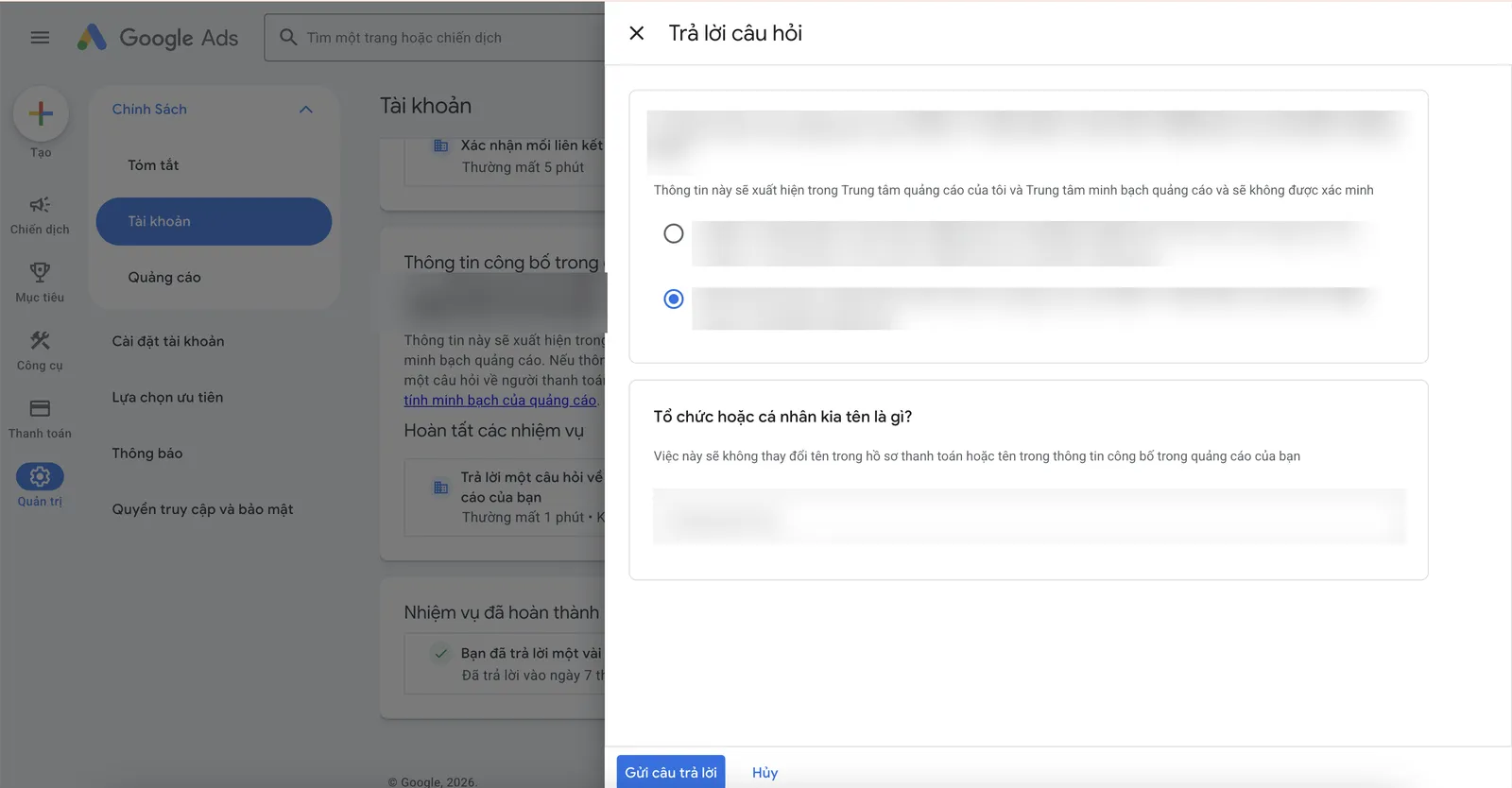
Questions about who pays for the ads; this information is shown publicly in the Ads Transparency Center.

Screenshots from a Google Ads account we operate directly. Account IDs, emails, domains, tag IDs and names have been hidden. Click an image to view it full size.

FAQ

Frequently asked questions

How long does verification take?

Usually a few days after submitting all the information, sometimes longer. Google shows the deadline in the account.

What documents do I need to prepare?

The business's legal documents and information matching the payments profile; the exact list is shown in the verification section.

Can a suspended account be reinstated?

It depends on the reason. You can appeal through Google's process; the outcome is decided by Google.

Does an ad agency need my password?

No. They only need to be granted access via email.

Need someone to work with you?

Let SAL - AI work with you.

SAL - AI handles accounts and verification with you, on an account in your business's name, with a budget you approve. Tell us about your current situation and we will call you back to advise.

Accounts in your business's name.
An organization payments profile.
Guidance to complete verification.
An access map.

Read more:

Do it yourself in the SAL software: the Advertising section → Assign tasks drafts the plan and expected cost for this channel; leads from ads land in the Customers section, with reports in the same place. The Free plan has no time limit. Open the software →
Or contact us directly:
Message on Zalo
Ask us for advice

By sending this request, you agree that we may contact you about the above. See our Privacy policy.

Your request has been received.

Thank you. We will contact you to schedule a consultation.

About SAL - AI

How we work: transparent from the start.

SAL - AI is operated by SAL Media Service Development and Investment Company Limited (tax code 0110454937), the company behind the SAL software platform (a private management software for each business), which also takes on advertising and website work at published prices.

We commit through how we work, not through promises: a clear scope from the start, a budget you approve, accounts and website in your name, numbers you can check yourself, and for Google ads and websites a 100% refund of service fees if we have not started work.