TikTok ads ›

GMV Max ads

What is GMV Max? How to run GMV Max ads for TikTok Shop.

Explains how GMV Max works, how it differs from manual ads, how to set a profitable ROI target and common mistakes when starting out.

Article by SAL - AI · Updated 10/2026

Campaigns that optimize automatically for TikTok Shop sales.

GMV Max is a TikTok campaign type for TikTok Shop stores. Instead of choosing each audience and placement yourself, the system allocates the budget automatically to increase sales according to the target you set. There are two types: for products and for LIVE sessions.

  • Product GMV Max: optimizes sales by product.
  • LIVE GMV Max: optimizes sales for LIVE sessions.
  • Note: when running GMV Max for a product, some manual ads using the same product may be paused, so plan ahead.
  • Each shop can have only one main ad account using GMV Max at a time.

Signs you should switch to GMV Max.

Your shop already has steady orders

Products already sell organically and have good reviews; GMV Max helps you accelerate instead of starting from zero.

Manual ads take too much effort

You are running many small campaigns that are hard to track and optimize one by one.

Regular LIVE sessions

The shop has a fixed LIVE schedule and wants to bring more likely buyers into its sessions.

What needs to be done.

Pre-launch checks

Main ad account, connection to the shop and the official TikTok account, list of products to run, prices and inventory.

Campaign setup

Choose products or LIVE sessions, set a revenue-to-cost target and daily budget, and rearrange manual ads to avoid overlap.

Monitoring and adjustment

Review revenue, costs and which products drive sales; add new videos for the system to use; adjust targets weekly.

Deployment steps.

  1. Assessment. Review the shop, key products and profit margins to determine an acceptable revenue-to-cost level.
  2. Setup. Review accounts and connections, create campaigns, rearrange running manual ads.
  3. Trial run. Run within the budget you approve, let the system learn, add videos and monitor daily in the first week.
  4. Reporting. Weekly report: revenue, cost, revenue-to-cost ratio, effective products, recommendations to increase or decrease budget.

Common mistakes.

  • Setting an ROI target higher than the product can achieve. The system struggles to find orders at that level, so it barely spends and the campaign has no data to learn from.
  • Not calculating break-even ROI. ROI in TikTok is revenue divided by ad cost. If profit before ads (after cost of goods, platform fees and commissions) is 40% of the selling price, break-even ROI is 1 ÷ 0.4 = 2.5. Anything lower is a loss, even if revenue looks good.
  • Turning it on when the product has few reviews or is nearly out of stock. Ads send many people to a product page that is not convincing enough, or orders rise with no stock to ship.
  • Not adding new videos. GMV Max uses existing videos linked to the product; as old videos become stale, performance gradually drops.
  • Judging after a day or two and switching it off. In the early stage the system is still learning, and numbers fluctuate a lot.

Who should use it, and who shouldn't yet.

Shops already selling well

Have key products with good reviews and want to grow sales faster.

Brands with many products

Need the system to allocate budget automatically across many SKUs.

Shops that LIVE regularly

Want to bring more likely buyers into LIVE sessions.

Not a good fit when: the shop has no orders yet or ratings are still low (fix the products and content first); profit margins are too thin to cover ad costs; or inventory is not enough when orders rise.

What the cost includes.

Service fee, if you hire an agency to work with you

A separate quote after the consultation, based on the number of products, number of LIVE sessions and management period.

Ad budget

Decided and approved by you before running, paid directly to TikTok through your account. This is separate from the service fee.

TikTok's policies and features change frequently. We re-check against current rules before implementing for each business.

Real screenshots

GMV Max on a real shop.

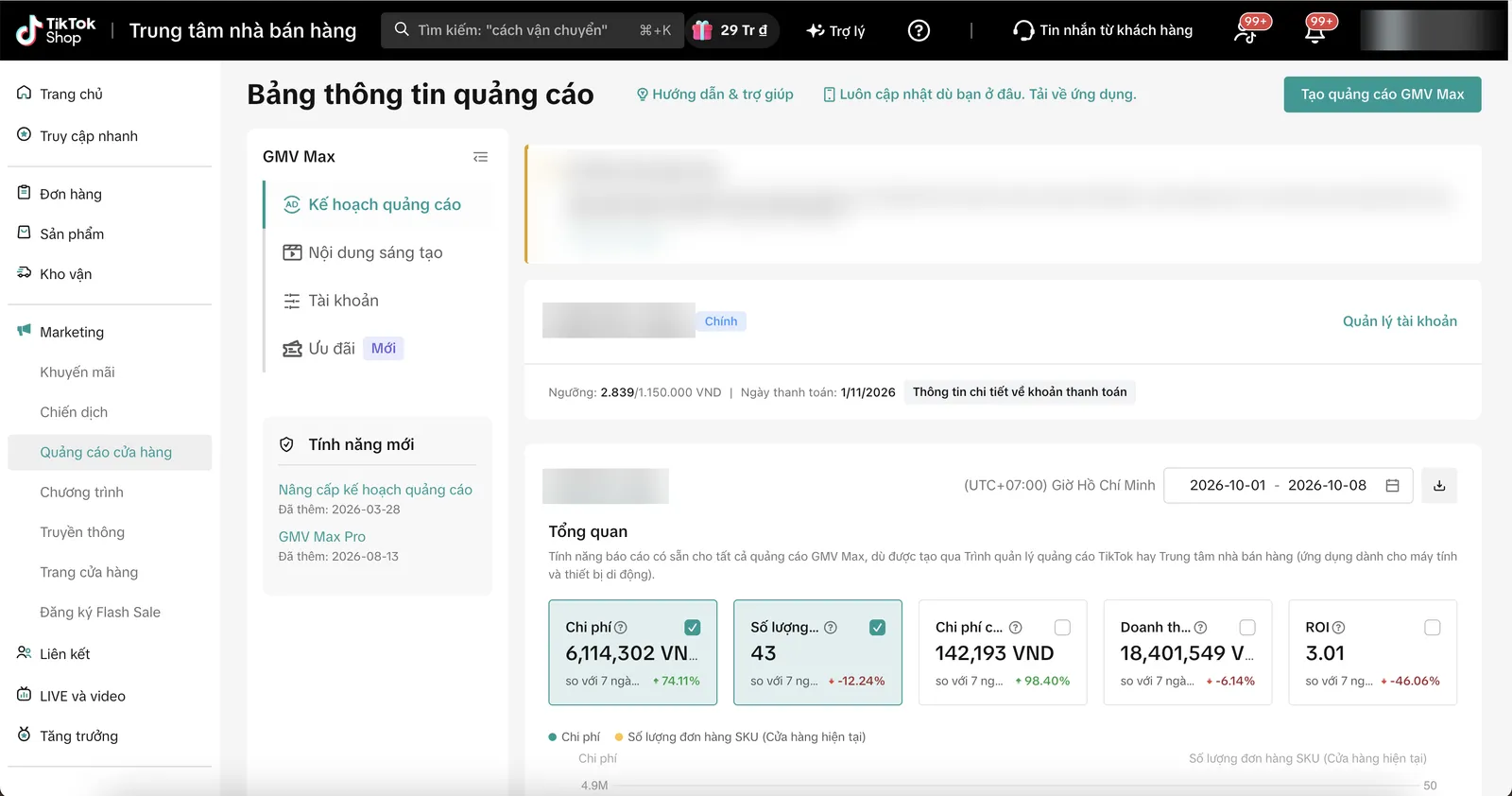
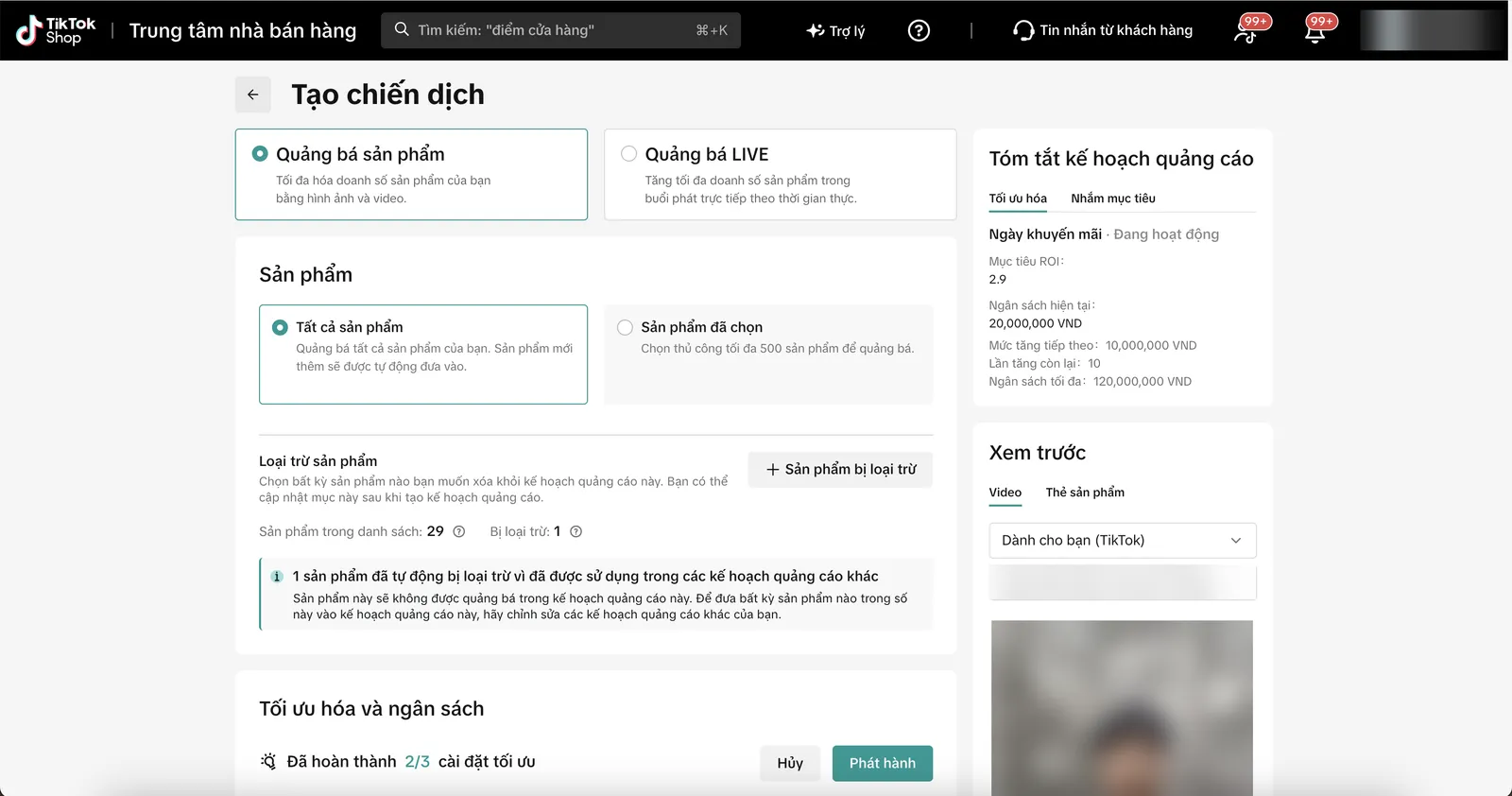
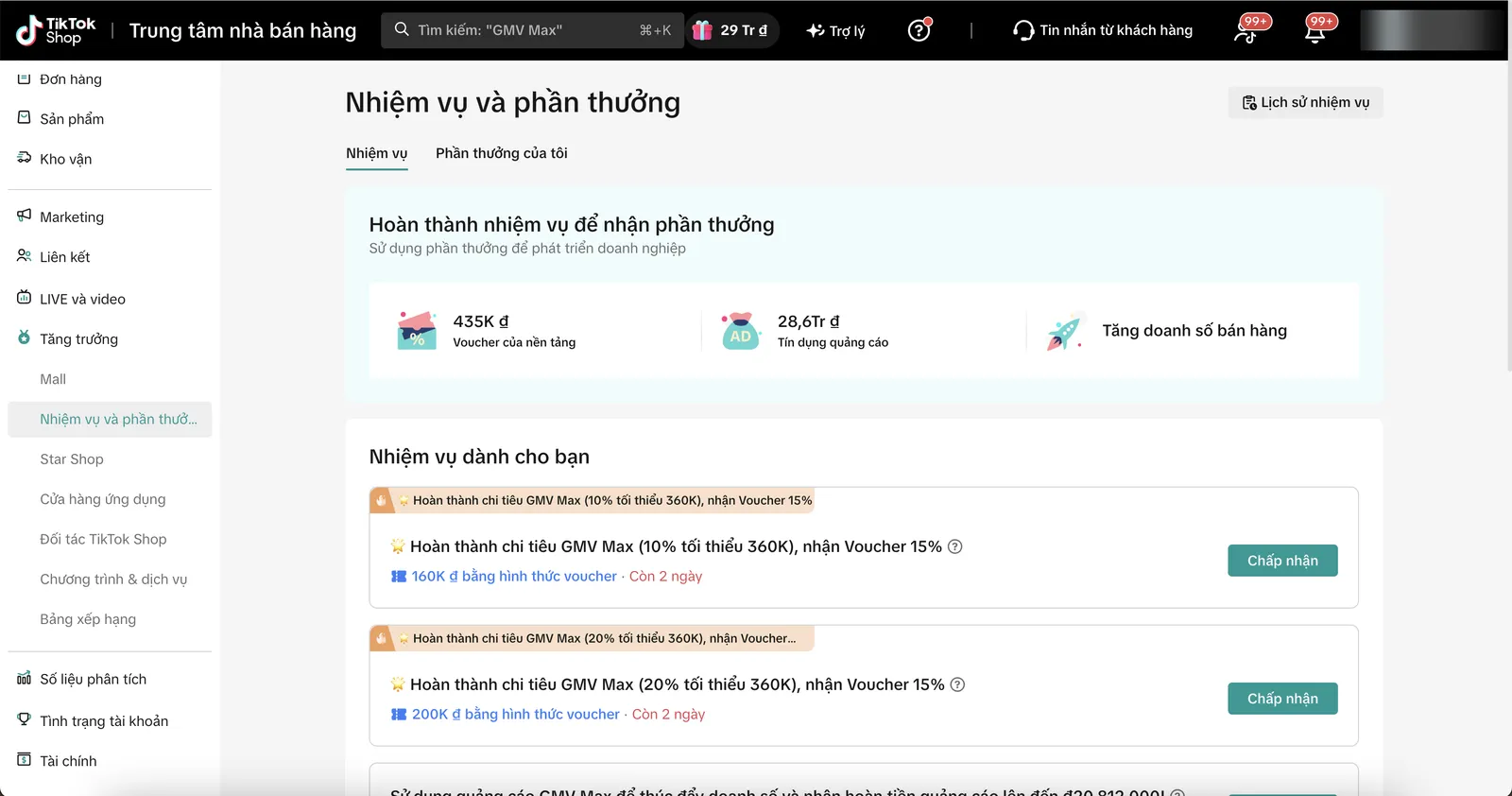
The cost and revenue tracking dashboard, the campaign creation screen with an ROI target, and TikTok Shop's GMV Max tasks.

GMV Max ads dashboard: cost, orders, cost per order, revenue and ROI for the period.
Creating a GMV Max campaign: choose product or LIVE promotion, select products, set the ROI target and budget.
TikTok Shop tasks and rewards related to GMV Max, tracked to take advantage of ad credit offers.

Screenshots from the Seller Center of a shop operated directly by our team. The shop name, product names, product codes, warehouse address and payment details have been hidden. The figures belong to this shop only and are not a promise of results for other shops. Click an image to view it full size.

FAQ

Frequently asked questions

How is GMV Max different from manual ads?

Manual ads let you choose the audience, placement and bid yourself. GMV Max lets the system do that based on a sales target. You have less detailed control but less optimization work.

Can it run alongside manual ads?

Yes, but when GMV Max runs for a product, some manual ads using that same product may be paused. We rearrange them before switching it on.

How much budget is needed?

You decide. We recommend a level high enough for the system to have data to learn from, based on product price and target.

How long until it stabilizes?

In the first week the system is still learning. It usually takes a few weeks to get reliable numbers.

Do you guarantee sales?

No. Results depend on the product, price, content and inventory. Targets and how they are measured are agreed in advance.

Need someone to work with you?

Let SAL - AI work with you.

SAL - AI sets up and manages GMV Max campaigns for your shop's products and LIVE sessions, and tracks revenue against ad cost weekly. Tell us your product category and your shop's current situation. We will call you back to schedule an assessment.

GMV Max campaigns set up on your account.
Revenue-to-cost targets calculated from your real profit margins.
A list of products that should and should not be run.
Weekly reports and budget recommendations.

Read more:

Do it yourself in the SAL software: the Advertising section → Assign tasks drafts the plan and expected cost for this channel; leads from ads land in the Customers section, with reports in the same place. The Free plan has no time limit. Open the software →
Or contact us directly:
Message on Zalo
Ask us for advice

By sending this request, you agree that we may contact you about the above. See our Privacy policy.

Your request has been received.

Thank you. We will contact you to schedule a consultation.

About SAL - AI

How we work: transparent from the start.

SAL - AI is operated by SAL Media Service Development and Investment Company Limited (tax code 0110454937), the company behind the SAL software platform (a private management software for each business), which also takes on advertising and website work at published prices.

We commit through how we work, not through promises: a clear scope from the start, a budget you approve, accounts and website in your name, numbers you can check yourself, and for Google ads and websites a 100% refund of service fees if we have not started work.